Why Your Dive Center Confirmation Email Matters (And How to Write a Great One)
A great dive center confirmation email builds trust, stops repetitive questions, and gets divers excited for their trip. You need clear booking details, meeting logistics, a preparation checklist, digital waiver links, cancellation policies, and contact information. Automating these messages ensures every guest shows up prepared, informed, and ready to dive.
<b>Key Takeaways:</b>
- Confirmation emails have much higher open rates than standard marketing messages
- Include booking details, meeting info, prep checklists, digital forms, policies, and contact support
- Automated messages reduce repetitive customer questions by up to 60 percent
- Add local marine life highlights to build excitement before arrival
- Mobile-responsive design is critical for travelers checking details on their phones
Picture this scenario. It's 7:45 AM and you're prepping tanks for the morning boat. Your phone won't stop buzzing. Customers are texting to ask what time they need to meet, if they need their c-card, and where they should park. If you're still answering the same questions every single day, your confirmation messages are failing you.
The gap between a confirmed booking and a diver showing up prepared is where most dive operations bleed time and energy. Guests feel uncertain and staff members field endless questions. Day-of chaos becomes the normal routine.
The good news is simple. A well-crafted email can eliminate those repetitive questions, build trust instantly, and get divers genuinely excited about their upcoming adventure on autopilot.

Why Do Dive Center Confirmation Emails Matter So Much?
The period between clicking "book" and receiving an email is a critical fulfillment window. When guests don't receive immediate communication, doubt creeps in. An immediate automated email confirms the reservation and proves your reliability to anxious travelers.
<b>Operational efficiency:</b> Better communication saves massive amounts of time. Businesses that automate confirmation communications reduce inquiry volume by 40-60% during pre-service periods, according to Zendesk's 2024 Customer Experience Trends Report. You eliminate day-of confusion regarding meeting times, locations, and gear requirements.
<b>High engagement:</b> Transactional messages get seen. According to Mailchimp's 2025 Email Marketing Benchmarks, transactional emails achieve average open rates of 80-85%, compared to 15-20% for promotional emails. This makes them the perfect vehicle for sharing essential information or suggesting add-ons like nitrox and photo packages.
What Should You Include in Every Dive Center Confirmation Email?
Not all reservation receipts are created equal. You need specific elements to keep your dive shop running smoothly and your guests happy. Here's a quick breakdown of the core details to include:
| Element | Why It's Important |
| :— | :— |
| <b>Clear Booking Details</b> | Validates the reference number, date, time, and specific experience (course, fun dive, etc.). |
| <b>Meeting Info</b> | Provides precise location, check-in time, and logistics like parking. |
| <b>Preparation Checklist</b> | Explains exactly what to bring (ID, certification card) and what is provided. |
| <b>Digital Onboarding</b> | Links to medical forms or liability waivers to save time on the boat. |
| <b>Policies</b> | Summarizes your cancellation and modification rules. |
| <b>Contact Support</b> | Gives easy access to reach your team for urgent questions. |
<b>Clear Booking Details:</b> List the reference number, date, time, and specific experience name. "Two-Tank Reef Dive" is much better than just "diving." Include the number of divers, package details, and payment status.
<b>Precise Meeting Information:</b> Provide the exact physical address with a Google Maps link. Clarify the check-in time versus the departure time to avoid ambiguity. Add parking instructions and an emergency contact number for day-of issues.
<b>Diver Preparation Checklist:</b> Tell them exactly what to bring. List certification cards, photo ID, logbooks, and personal gear. Note what the shop provides, like tanks and weights. Suggest what to wear and optional items like reef-safe sunscreen.
<b>Digital Onboarding Links:</b> Link out to medical questionnaires and liability waivers. Sarah Mitchell, Operations Director at Dive Admin, explains the value of this step:
> "Digital forms completed before arrival reduce check-in time by 12-15 minutes per diver group. That's the difference between making your boat window and missing it."
<b>Policies Summary or Link:</b> Include your cancellation terms and deadlines. Explain the modification process and your weather cancellation policy. Link to the full terms on your website rather than cluttering the email.
<b>Easy Contact Access:</b> Give them a phone number with the best hours to call. Provide an email address for non-urgent questions. A WhatsApp or SMS option works perfectly if you offer it.

How Do You Make Confirmation Emails Exciting?
A booking receipt isn't just a transaction. It's the start of the guest experience and a chance to showcase your local expertise.
<b>Current conditions:</b> Mention recent marine life sightings. Tell guests that you've been seeing mantas daily at North Point. Note seasonal highlights like whale sharks, spawning events, or macro critters. Updates on water temperature and visibility build massive anticipation.
<b>Insider tips:</b> Suggest the best coffee spot near the shop. Tell them where to grab breakfast before the morning dive or where to watch the sunset afterward. This builds destination value beyond just the boat trip.
<b>Social proof:</b> Include a recent guest photo with their permission or a quick testimonial snippet. Share your Instagram handle for live updates. Use a high-quality underwater photo of a local reef or a team photo to put faces to names. Keep the tone enthusiastic but not salesy.
How Can Automation Make Dive Center Communication Effortless?
Manual emails create serious problems. Staff members forget to send them, information gets typed inconsistently, and human error leads to wrong dates or missing attachments. You waste time copy-pasting the same details over and over.
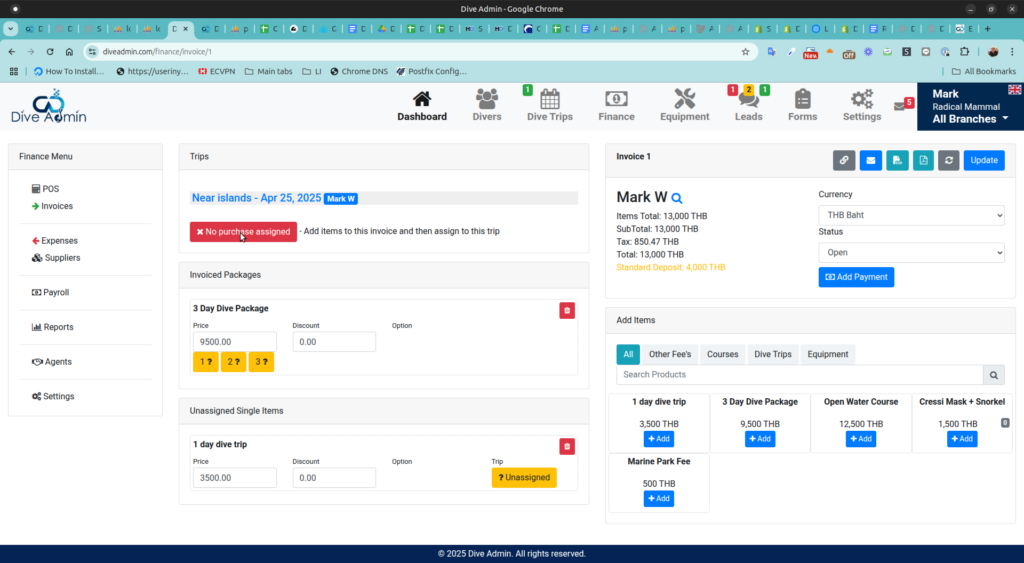
<b>The automated solution:</b> Dive center management software like Dive Admin fixes this instantly. A booking triggers an action and the email sends automatically. Templates ensure absolute consistency while pulling the guest's name and booking details directly from the reservation.
<b>Simple implementation:</b> Setup is a one-time process. You build the template, set the rules, and forget it. Updates to the template apply to all future bookings immediately. Staff can still send manual messages when needed, but the heavy lifting happens in the background.
<b>Bottom line:</b> You save 10-15 minutes per booking. Multiply that across hundreds of annual reservations, and your staff focus shifts entirely from admin work to guest experience and safety.
What Design Best Practices Should Confirmation Emails Follow?
The way your message looks matters just as much as what it says. You need tactical design choices for readability and effectiveness.
<b>The Inverted Pyramid approach:</b> Put the most critical information first. Booking details and meeting times belong at the very top. Supporting details like checklists and policies go in the middle. Excitement and upsell content fit best toward the bottom, followed by a clear call to action.
<b>Mobile-first design imperative:</b> Over two-thirds of your guests will read this on their phones. According to Litmus's 2024 Email Analytics Report, 71% of travelers open confirmation emails on mobile devices within the first hour of booking. Use single-column layouts, large tappable buttons, and readable font sizes of at least 14 pixels.
<b>Scannability elements:</b> Keep paragraphs short with a maximum of two or three sentences. Use bullet points for checklists. Bold key details like the date, time, and meeting location. Add plenty of white space and resist the urge to cram everything in.
When Should You Send Confirmation Emails and Follow-Ups?
Timing changes how guests interact with your shop. A structured sequence keeps your dive top of mind and reduces buyer's remorse.
<b>Immediate confirmation:</b> Send this within 60 seconds of the booking. It confirms the payment processed and provides the reference number.
<b>72-hour reminder email:</b> Use a subject line like "Your dive is in 3 days!" Reiterate meeting details and remind them to complete digital forms if they're still missing. Include a weather forecast preview and a last chance for add-ons or gear rentals.
<b>24-hour final reminder:</b> Adopt a "See you tomorrow" tone. Share only the essential details like time, location, and what to bring. Give a quick update on current conditions and display your emergency contact prominently.
What Common Confirmation Email Mistakes Should Dive Centers Avoid?
Even experienced operators make simple errors with their communication. Watch out for these frequent pitfalls.
<b>Common mistake:</b> The information overload trap. Trying to include an entire dive theory manual or pages of legal text means nobody reads anything. Guests skim the wall of text and miss critical meeting times. Keep it brief and link to longer documents.
<b>Common mistake:</b> Being too minimal. A message that just says "Your booking is confirmed, see you soon" leaves guests with questions. They'll call you to ask those questions anyway, which wastes the high-engagement opportunity.
<b>Common mistake:</b> Ignoring mobile users. Tiny text that requires zooming frustrates travelers. Buttons that are too small to tap and wide layouts that force horizontal scrolling guarantee your guests will ignore the links you send them.
FAQ
How long should a dive center confirmation email be?
Keep your main content between 300 and 500 words. Include all essential elements like booking details, meeting info, prep checklists, digital forms, policies, and contact support. Use bullet points and clear sections to make it scannable. Since most divers read these on their phones, shorter paragraphs and concise language work best.
Should I include upsells in my dive center confirmation email?
Yes, but do it strategically. Place upsell opportunities for nitrox upgrades, underwater photography packages, or additional dives after all essential booking information. Never let promotional content obscure critical details like the meeting time or location. Frame upsells as suggestions to enhance their experience rather than pushy sales pitches.
What is the best subject line for a dive center confirmation email?
Keep it clear and completely factual. "Your [Dive Center Name] Booking Confirmation – [Date]" works best. Avoid creative subject lines for transactional messages because divers are searching their inbox for the word confirmation. Including the date helps guests find the right email if they have booked multiple trips.
How do I get divers to actually complete digital waivers before arrival?
Make the waiver link the most prominent call to action in your message. Send reminder emails at 72 hours and 24 hours before the dive if forms remain incomplete. Use action-oriented button text like "Complete Your Waiver" rather than a generic "Click Here" and explain that doing it now means they skip the paperwork on the boat.
Can confirmation emails help reduce no-shows and last-minute cancellations?
Absolutely. A well-crafted sequence of immediate confirmations and timed reminders keeps your dive top of mind. It reduces no-shows by creating regular touchpoints. Building excitement with current condition updates and marine life sightings makes guests less likely to skip the trip.