7 Dive Center Tasks You Should Automate First
You opened a dive center to share your passion for the ocean, not to drown in paperwork. But picture a typical morning: You juggle phone bookings, chase down unsigned liability waivers, manually text dive times to customers, and try to reconcile yesterday's payments in a messy spreadsheet. It's overwhelming. The good news? You don't need to overhaul everything at once. Start with seven high-impact tasks: online booking, digital waivers, automated customer communication, payment processing, equipment tracking, staff scheduling, and post-dive follow-ups. These quick wins save immense administrative time, reduce no-shows, and improve customer satisfaction.
<b>Key Takeaways:</b>
- Automating waivers and bookings provides immediate operational relief
- Automation saves 50 to 60 percent of manual administrative time
- Real-time scheduling prevents double bookings and enables 24/7 self-service
- Automated payments reduce no-shows and stabilize cash flow
- Post-dive nurture emails systematically re-engage past customers

Why Should You Automate Your Dive Center Operations?
Dive center automation means moving away from manual, paper-based admin. You transition to digital, triggered workflows that run in the background.
According to Small Business Trends research from 2024, businesses that automate routine administrative tasks save an average of 5 to 10 hours per week per employee. That freed-up time translates to massive benefits. You reduce your admin burden, eliminate human errors like double bookings, and drastically improve the customer experience.
Travelers increasingly expect digital booking and contactless check-in. They want a frictionless vacation. When you deliver that, you see better cash flow, fewer no-shows, and increased repeat business.
Automation isn't about replacing personal service. It's about freeing up your time so you can deliver better guest interactions. Focus on the highest-impact areas first.
What Are the Quick Wins for Dive Shop Automation?
Quick wins are highly repetitive, time-consuming tasks that are easy to digitize. The core principle is simple: automate what you do most often and what causes the most friction for your team.
The best recommended starting point is handling waivers and bookings. These two tasks alone create immediate, noticeable relief for front-desk staff. You can implement these gradually. Pick one or two tasks at a time.
> "We switched platforms and reduced our weekly admin time by 40 percent. Our instructors focus on what they do best: teaching diving rather than fighting with spreadsheets."
> — Sarah Jenkins, Operations Director at Blue Water Scuba, Scuba Business Monthly, 2026
How Can You Automate Dive Center Bookings?
Taking manual bookings via phone, email, or spreadsheets creates chaos. Double bookings happen. You miss opportunities after hours. Typing errors creep in.
A cloud-based booking system with real-time scheduling solves these headaches instantly. Real-time calendar sync prevents double bookings automatically.
Customers get 24/7 self-service booking access on their mobile devices. They can book when they feel inspired, not just when your shop is open. The system automatically syncs with your staff schedules and boat capacity limits.
Look for software that offers calendar integration, capacity management, and multi-activity support.
Should You Switch to Digital Waivers?
Paper liability releases and medical forms create massive front-desk bottlenecks. They cause storage headaches and frustrating check-in delays for eager divers.
Digital forms with e-signatures fix this. Send them to guests before they arrive via automated email, SMS link, or a simple QR code. Guests complete the forms at their hotel, at the airport, or at home.
Check-in becomes a quick ID verification instead of a 10-minute paperwork session. The forms auto-populate customer profiles so your staff never re-enters data. Secure cloud storage provides instant search retrieval and maintains legal compliance with timestamped e-signatures.
How Do You Automate Customer Communication?
Manually sending confirmations, reminders, and pre-dive instructions is inconsistent. It eats up hours of your week.
Triggered, automated messaging via email, SMS, or WhatsApp fixes this. You set up the templates once, and the software takes over.
<b>Common examples of automated messages:</b>
- Instant booking confirmations
- Payment reminders sent three days before the trip
- Pre-arrival instructions detailing what to bring
- Day-of dive times and meeting point alerts
- Automated post-dive thank you notes
Consistent, professional communication reduces no-shows and confusion. Modern systems personalize these texts by inserting the customer name, dive type, and instructor name. Give your customers the choice of their preferred contact method.
What Is the Best Way to Automate Dive Center Payments?
Chasing payments and handling manual invoices is a headache. Reconciling mixed cash and card transactions takes forever.
The best solution is an integrated payment gateway built directly into your booking platform. Systems like Stripe or Square allow automatic deposit collection at the time of booking.
Requiring upfront deposits dramatically reduces last-minute cancellations. The system auto-charges the remaining balance before the dive date. It generates digital invoices automatically and provides real-time payment tracking.
This improves your cash flow, creates predictable revenue, and drastically reduces daily reconciliation time.
How Can You Track Rental Equipment Automatically?
Manually tracking which customer has a specific BCD, regulator, or wetsuit usually involves messy clipboards. Remembering service intervals and locating available gear gets complicated fast.
An integrated inventory management system handles this perfectly. It links rental assignments directly to a customer's booking.
The system flags equipment for maintenance automatically after a set number of dives or months. This is a huge safety bonus.
You get a real-time availability display showing what's rented, what's in service, and what's available. The system even logs size preferences for repeat customers. You ditch the clipboard, prevent equipment failures, and speed up gear assignment at check-in.
Why Automate Staff Scheduling for Dive Centers?
Coordinating instructor schedules and boat assignments via group chat or a whiteboard leads to endless miscommunication.
Centralize your staff management within your dive center software. The software automatically assigns instructors based on their availability and certification level.
Staff get instant mobile notifications of their daily assignments and any real-time booking changes. This eliminates confusion over who's teaching the Open Water course. It prevents understaffing, ensures fair instructor rotation, and manages time-off requests seamlessly.
Clear communication reduces staff stress and stops last-minute scrambling.
How Should You Automate Post-Dive Follow-Up?
Most dive centers fail to systematically re-engage customers after they leave. They miss out on easy repeat business and valuable referrals.
Set up an automated post-dive nurture sequence. According to Harvard Business Review research from 2022, acquiring a new customer is 5 to 25 times more expensive than retaining an existing one.
<b>Effective follow-up triggers:</b>
- A thank you message with a digital dive log sent the next day
- A review request for Google or TripAdvisor sent three days later
- A next-level certification recommendation sent a week later
- Annual birthday messages with special discounts
This turns one-time customers into loyal repeat clients. It increases your online reviews and builds long-term relationships with zero ongoing manual effort.
Where Should You Start With Dive Center Automation?
You don't need to implement all seven steps today. Start with digital waivers and online booking. These two provide the fastest return on investment.
They fix the most immediate pain point for your front-desk staff. Customers notice these modern conveniences immediately. Digitizing bookings also creates the data foundation for all other automated tasks.
<b>Step 1:</b> Roll out digital waivers and online booking in your first two weeks.
<b>Step 2:</b> Add automated customer communication and payment processing in weeks three and four.
<b>Step 3:</b> Introduce equipment tracking and staff scheduling in your second month.
According to the Journal of Small Business Management in 2023, phased technology implementation has a 73 percent higher success rate than total system overhauls. Train your staff gradually and gather their feedback as you go.
What Software Should Dive Centers Use for Automation?
You need specialized dive center management software rather than generic booking tools. Generic tools can't handle dive certifications, equipment sizing, or boat manifests.
Look for an all-in-one platform that's cloud-based and mobile-friendly for both staff and customers. It needs integration capabilities for your accounting and email marketing.
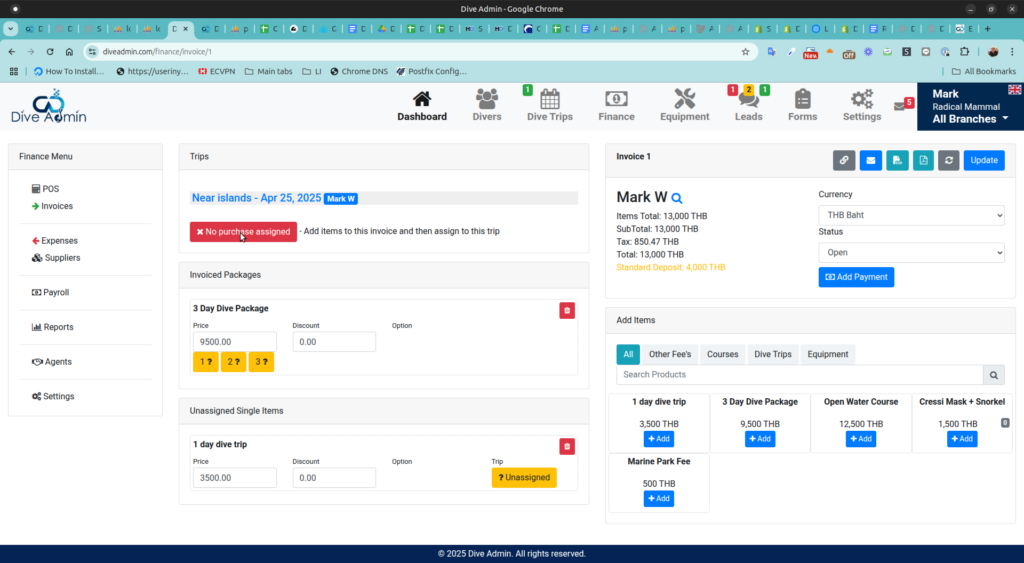
According to Dive Business Quarterly in 2025, 73 percent of dive centers worldwide now use specialized management software. Modern dive center management software, such as Dive Admin, is designed specifically to handle these seven tasks in one integrated platform.
Dive-specific software provides pre-built templates for dive activities, tracks certification prerequisites, and standardizes industry reporting. Most platforms offer a free trial, robust onboarding support, and simple data migration. The monthly subscription easily pays for itself through time saved and increased bookings.
FAQ
How much time does dive center automation actually save?
According to Dive Admin in 2025, dive centers report saving 50 to 60 percent of their administrative time after implementing automation. This translates to 10 to 20 hours per week for a medium-sized operation. Staff can finally focus on guest experiences and instruction rather than data entry.
Is dive center automation expensive to implement?
Most dive center management platforms cost between $100 and $300 per month depending on your business size and needed features. Given the 10 to 20 hours saved weekly, the return on investment is almost immediate. Many platforms offer free trials and month-to-month contracts with no long-term commitment.
Will automated systems work for small dive shops?
Yes. Automation often benefits small dive centers the most because they have tiny staffs and no extra time for admin work. Cloud-based platforms scale to any size operation. You can start with just one or two automated tasks, like digital waivers, to get immediate relief.
Can I automate my dive center without being tech-savvy?
Modern dive center software is built for operators, not IT professionals. Platforms offer guided setups, pre-built templates, video tutorials, and dedicated customer support teams. If you can use a smartphone and send an email, you can manage these systems easily.
What happens to customer data when I switch to automated systems?
Reputable platforms use secure, encrypted cloud storage with automatic daily backups. Your customer data is much safer there than in paper files or local spreadsheet documents. Look for PCI-compliant platforms that let you easily export your data at any time.
Start Automating Your Dive Center Today

Dive center automation doesn't mean losing your personal touch. It actually means having more time to connect with your guests.
The seven tasks outlined here represent the highest-impact starting points for any modern scuba operation. Start with your waivers and your booking process first. Each automated task builds on the previous one.
Most centers see measurable time savings within just two to four weeks of launch. Start small. Build momentum. Don't overthink the process.
Customers increasingly expect digital convenience, and the centers that provide it win more bookings. Evaluate your current pain points today, pick one task to automate, and take the first step. Your future self will thank you for the reduced stress.